Codex works in bursts. Nabu works the whole shift.
A local, always-on operator that owns your missions, queue, approvals and schedules, then hands the real work to Codex.
One conversation steers all of it
Talk to Nabu the way you would talk to a colleague who never signs off. It plans, asks when it is genuinely unsure, and lines the work up. Close the browser and it carries on without you.
The idea
Codex executes.
Nabu operates.
Nabu is not another model and not another wrapper around one. It is the layer that remembers, decides what happens next, and holds the parts you want held.
What Codex already does
Focused work in one sitting. Editing files, running tests, staying inside a folder you approved. It is very good at this, for as long as you are sitting there.
What Nabu adds
A goal it remembers, a queue that keeps its place after a restart, the things it must ask you about first, a schedule, and a written record of everything that happened.
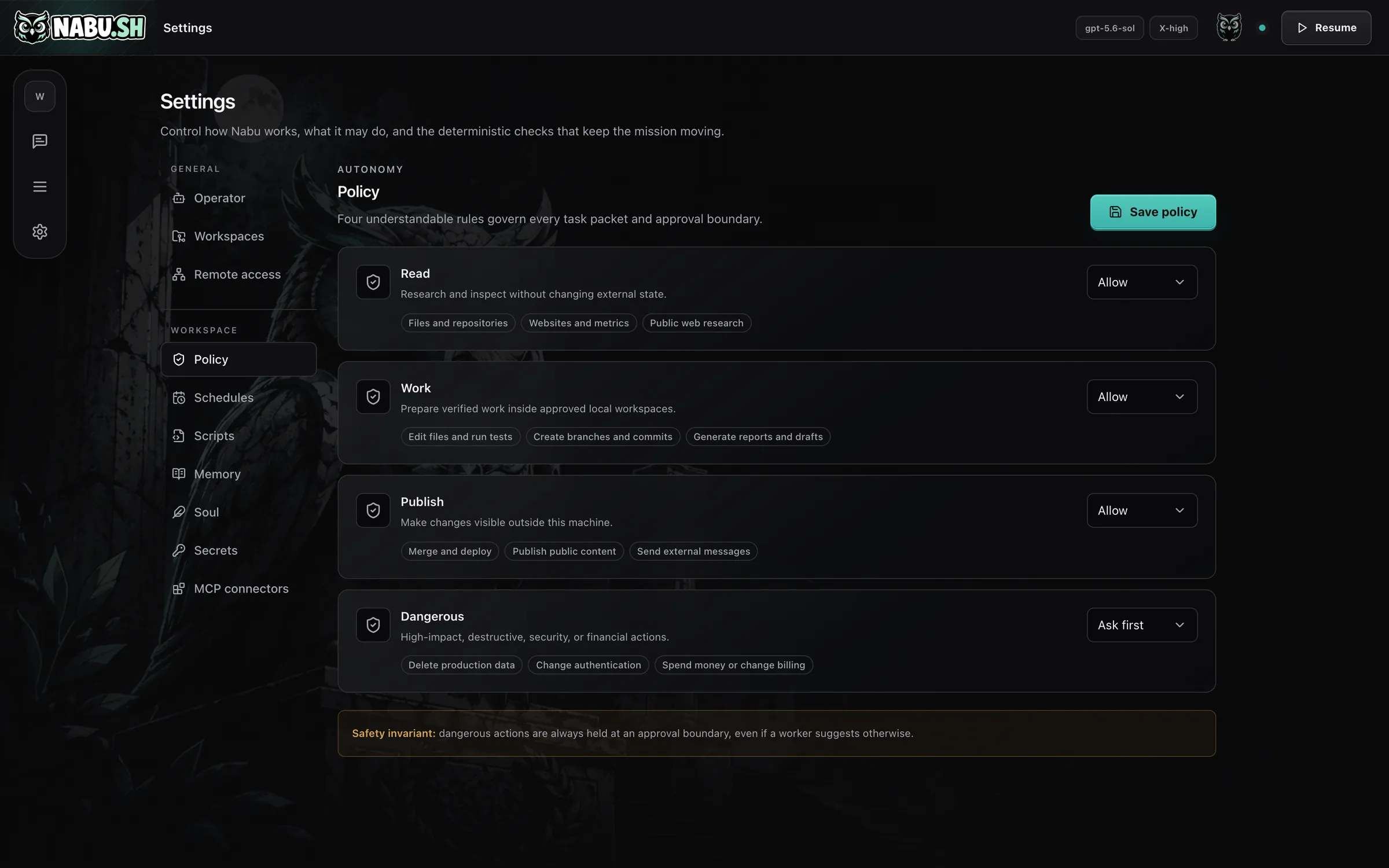
Four rules decide what it may do alone
Every piece of work is checked against the same four boundaries before it runs. Set each one to allow, or to ask you first.
-
Read. Research and inspect without changing external state.
-
Work. Prepare and check work inside the folders you approved.
-
Publish. Make changes visible outside this machine.
-
Dangerous. Held at an approval boundary always, even if a worker suggests otherwise.
Give it something to own
A mission, not a prompt
Ask for an outcome, not a task. Nabu works out the steps, does the safe ones on its own, and comes back to you for the rest.
You
Missions people give Nabu: Run the growth side of my SaaS. Watch the numbers every week, work out what is leaking, and go fix it. Take this from an empty repository to something people can actually pay for. Own our documentation. Keep it true as the code changes, without me asking. Run the weekly release. Test it, ship it, and write up what changed for the team. Be my analyst. Tell me what moved this week, why, and what I should do about it. Handle inbound support. Draft every reply and escalate only the ones that need me.

Nabu
Recorded. I have written that down as the mission, broken out the first week of work, and put the parts that touch anything outside this machine behind your approval.
Added to memory
Queued the first four tasks
Two of them will ask you first
Also in the box
Everything it did, and everything it will do
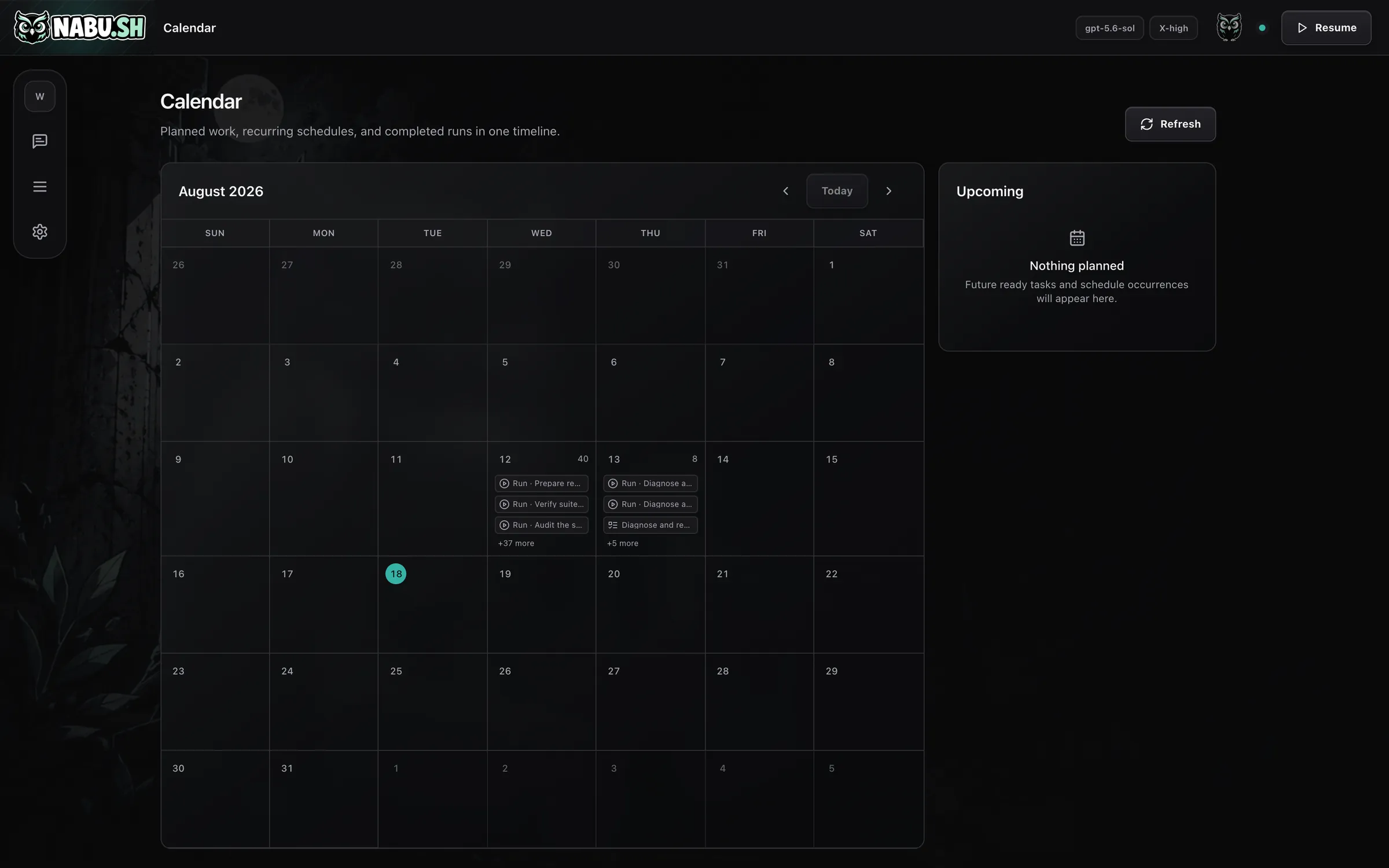
Calendar
Planned work, recurring schedules and completed runs in one timeline, so you can see what it did overnight without reading a log.
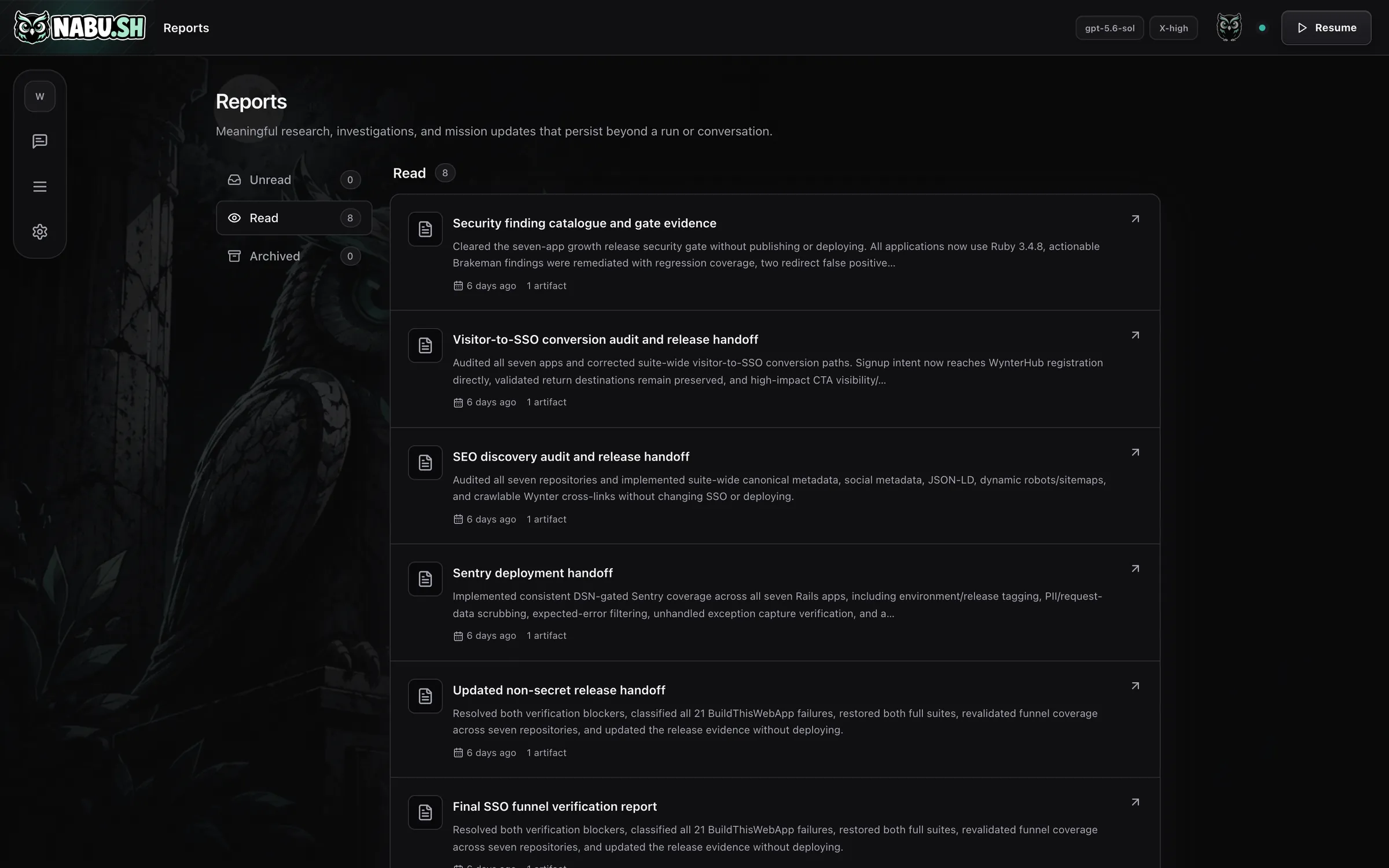
Reports
Written results with the files that came out of them, kept long after the work is finished.
And the plumbing
- Workspace datasets with import and export
- Logins kept in your system keychain, never in prompts
- MCP connectors and registered scripts
- Reach it from your phone over Tailscale
Then point it at a folder
Setup asks two things: what you are trying to achieve, and which folders it may work in. What happens next depends on whether the folder is new.
A folder it makes for you
Nabu lays out somewhere for each kind of thing to live, so finished work is never buried in a chat window.
~/Business/
- inbox/things waiting to be triaged
- documents/drafts and working files
- media/images, video, audio
- research/findings and their sources
- data/exports and datasets
- repos/code it may work in
- reports/what it wrote up for you
- deliverables/finished work
- archive/done, and kept
A folder you already have
Nothing is created, renamed or moved. Nabu works inside the structure that is already there, and Git keeps every change reviewable.
~/Work/my-app/
- src/left exactly as it was
- package.jsonleft exactly as it was
- …left exactly as it was
What it keeps about itself
Its own memory stays out of your folders, in one place you can read, edit, back up or delete.
~/.nabu/
- MISSION.mdwhat it is trying to achieve
- MEMORY.mdwhat it has learned so far
- POLICY.mdwhat it may do without asking
- nabu.dbthe queue, approvals and history
- backups/one checked copy per day
Running in about a minute
Nabu runs quietly in the background on your own computer. Nothing is opened up to the internet.
Read the source-
Install
One line, and no configuration to fill in.
-
Set up
Checks Codex and Git, picks your workspaces, installs the background service, and opens the interface.
-
Open
Nabu opens at 127.0.0.1:7777, a page that exists only on your computer. The browser is just a window onto the work. Closing it stops nothing.
What you need
- The Codex CLI, signed in
- Codex is the only engine Nabu drives today, and it uses the plan you already pay for. Support for other agents is not here yet.
- macOS or Linux
- It starts with your computer and stays running in the background. Windows works through WSL2.
- Git
- Used for the workspaces Nabu writes in, so its changes stay reviewable.
- Nothing else, and no account
- Everything it knows sits on your machine in ~/.nabu and is backed up every day. No server of ours is ever in the loop.
Free, open source, and yours
No licence key, no account, nothing reported back. Read it, change it, and run it for as long as you like.